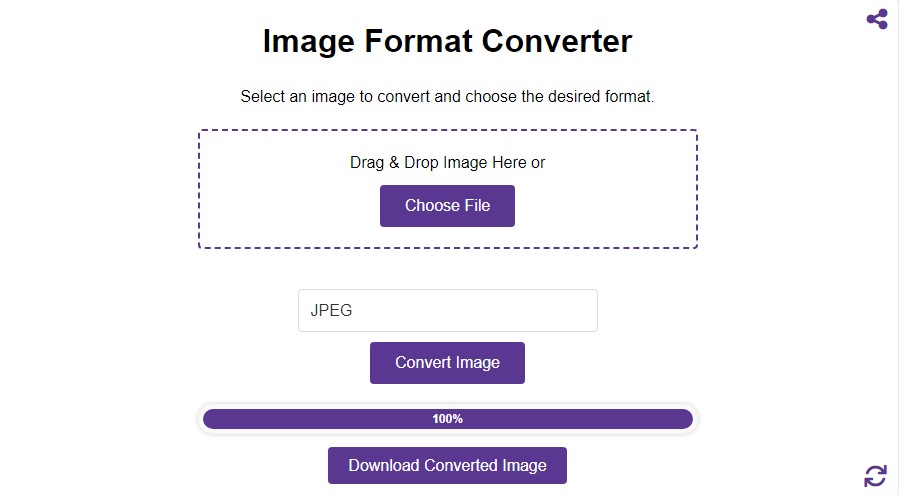
Image Format Converter
Select an image to convert and choose the desired format.
Drag & Drop Image Here or
Image file format conversion has been the key to easy handling of digital images in today's digital world. If you are a designer, photographer, or just a casual user, it helps save space, share files across the web, and maintain the quality of images. The most universally used and accepted format is JPG. Our online image converter helps easily convert your image to JPG quickly and securely without downloading any software or registering the account. In just a few clicks, your images will transform into what you want them to be for easy conversions of images to JPG, PNG, BMP, GIF, or WEBP.
Why Convert Images to JPG?
JPG is the most widely used digital photo format, especially when it comes to the web. Here are some reasons why your picture files must be converted to JPG:
- Smaller File Size: JPG format relies considerably on lossy compression, which greatly decreases its file size while still sustaining a reasonably good photo quality. This is a huge reason why images can be easily shared online or even by email.
- Compatibility: JPG has almost all users' devices, browsers, and photo viewers; hence it is usually a flexible picture format for people to share and view pictures across platforms.
- Quick Uploads: The benefit of reducing the image size from PNG to JPG format in order to share multimedia includes a reduction in file size so that uploading will be faster and particularly when one uploads more than one file or only with a slow internet connection.
- Photographic Quality: JPG format preserves photo quality and fine print required in photos and web graphics.
Whether you're using high-resolution photographs or low-resolution graphics, saving pictures in a JPG format ensures smaller file sizes regardless of decreased visual quality.
How to Use Our Image Converter
Our photo converter tool makes converting a piece of cake. You can convert your photos into JPG with a click and a few simple steps below:
- Select File: Upload the picture file you want to convert, whether it’s in PNG format, GIF, BMP, or another format.
- Choose JPG: From the list of available formats, select JPG.
- Convert Photo: Click the 'Convert Image' button, and within seconds, your picture will be processed and ready for download in the JPG format.
The simplicity of our tool photos anyone can convert their pictures without any technical expertise. It's fast, easy, and works directly from your browser.
Supported Formats for Conversion
Our online JPG photo converter supports a wide range of photo formats to convert any picture to JPG online. Some supported input formats are:
- PNG format: It is mostly applied with graphics where there is a transparent background, and in return increases the file size more often than not.
- GIF: A file format often utilized during animation, but which can be converted to JPG when static images are to be required.
- BMP: Though the file has a high-quality format, the large file size has made it less used as an image format.
We don't matter on the format in which your picture is saved, our tool supports the file format and can process it into high-quality JPG conversion. Flexibility is especially useful when working with plenty of different photos for different purposes.
Why Using Image Converter?
The picture converter has several advantages. It supports most file types, thus enabling easy photo conversions to and from file formats like JPG, PNG, BMP, and WEBP. This versatility will have you working with whatever image format you are given. Furthermore, it also retains the quality of images during conversion, which means you do not have to worry about losing any details or clarity.
Simple Interface
Our image converter is user-friendly. Featuring an extremely friendly interface, everybody will be in a position to convert pictures with no necessary knowledge of technicality. You need simply to upload your given photo, choose the format you wish it to be converted to, then press the 'convert' button. Just in a few seconds, your converted picture shall be ready to download. That's it!
Device Independent
This online photo converter is developed with a responsive interface in a manner that it presents automatically on any device with an internet connection. Therefore, wherever you are or whatever device you find yourself on—be it desktops, laptops, tablets, or smartphones you can convert an photo. It also works quite well on such popular operating systems as Windows, macOS, iOS, and Android. Thus, you get both flexibility and convenience in one tool.
No Subscription Required
Our image converter is absolutely free, with no hidden fees or subscription requirements. There are no limitations on the number of photos you can convert. As such, this tool offers an ideal solution for both personal and professional use in case you want to convert photos without having to worry about the associated costs.
Secure Image Conversion
Privacy and security are very important to us. Our image converter is client-side, meaning absolutely nothing is sent to our servers. All conversions are done right in your browser. Your data is private and secure with client-side processing of this nature. This approach simply eliminates the risks involved with uploading files to a server.
Speed Really Matters
Another major characteristic of our picture converter is speed. It has been tuned for processing big files fast, allowing the user to convert photos in just a few seconds. Whether you're in a rush or have a set of pictures you'd like to process simultaneously, it will give results quite fast without affecting quality and is therefore perfect for anyone looking to save some time.
Faqs
Which format should I choose for my photos?
For pictures with more color details, such as landscapes, portraits, and product pictures, JPG format performs way better. JPG is very effective in terms of compression and no quality loss occurs for the most part. JPG format is universal since all the web browsers, cell phones, cameras, and photo editing software accept it. If you want to make the size of your file smaller with some loss of quality, then go for JPG.
When should I use PNG instead of JPG?
PNG is the better choice if you wish to have transparency in your background or when your image is line art and has flat colors as compared to photographs. These are not distorted with the use of compression, like JPGs are; however, these are larger in size and therefore cannot be uploaded in bulk as photographs.
Is WEBP better than JPG and PNG?
Compared to the JPEG and PNG formats, the WEBP format produces smaller file sizes without sacrificing the quality. It also has the ability to have transparency like the PNG format. Hence, this is very suitable for websites that are sensitive about the speed of loading images. One downside to this format is that some applications and hardware might not be able to render this format; hence it should be converted into JPEG.
Does converting a JPG to PNG improve its quality?
No. The quality of the JPG file will remain unchanged because the PNG file format is incapable of improving the quality lost during the conversion of the JPG to the PNG format. If the JPG file suffers any distortion due to the conversion process, this distortion will also be reflected in the PNG file.
Will the file size change after conversion?
Yes, and very much so in many cases. Conversion of PNG or BMP to JPG or WEBP usually results in considerable reduction in file size because these formats are more efficient when it comes to compression. Conversion of images in the opposite way – such as JPG to PNG – will most likely make files larger, due to less efficient compression of PNG.