Color Picker from Image
Drag & Drop your image here or
Regardless of whether you are a graphic designer looking to match up colors with your brand, a front-end developer designing the user interface, or a creative individual gaining creative insights from an image, having the correct HEX and RGB color codes of any particular pixel is essential. ImageProEdit's Color Picker from Image is a free online tool that allows users to upload images and obtain their exact color codes just by clicking once.
What Is a Color Picker from Image?
Image Color Picker is an online tool used for determining the exact color of any particular pixel on a digital image, and the color code generated by the tool can be represented in various forms such as HEX, RGB, and HSL. The need for manually trying to figure out the color or obtaining it from any designing software becomes unnecessary since you just have to upload the image and then click on the desired point to obtain the exact color code.
Unlike a color wheel picker tool that creates its own colors from scratch, an image color picker takes the information stored in the pixels of your picture and gives you the results according to your requirements.
Why Accurate Color Codes Matter in Design and Development
Consistency in color is another concept which can be considered as basic for designing. It becomes possible for any brand to have different shades of the same color like blue on its website, brochures and social media accounts if there is lack of consistency in colors due to proper coding. In a similar way, while working with CSS for developing websites, web designers need exact color codes like HEX and RGB.
In case of getting an image file from a client and having to reproduce the colors from this design file, inspiration image, or even a reference picture from your client, there should be no place for assumptions and guessing. Using an image color picker allows you to get exact code of any shade, tone, or tint.
Who Should Use a Color Picker from Image?
Graphic Designers and Brand Managers
The color codes used in the guidelines are extremely accurate. When a client comes to you with their logo or any other visual that they have used before and expects the same colors in your design, this is how they can be accurately determined.
Web Developers and UI Engineers
Front-end developers have to pick out colors for their sites from mock-ups, screenshots, or other websites quite often. Instead of using a design program to pick out a color, you can simply load up your screenshot into this tool and instantly get the HEX or RGB code for your CSS.
Social Media Managers and Content Creators
It is important to keep the aesthetics of your posts uniform across social media platforms to create a brand presence. If you need to replicate the same color from one of your past posts or from a template, the color picker provides you with the accurate value of the color.
Students and Design Learners
Design students learning about color theory, engaging in branding identity design, and making portfolios will find it useful to have an easy means to obtain color extractors. Having a command of using accurate color values is a necessary professional skill and having a free one helps in that regard.
How to Use the Color Picker from Image Online
Using the ImageProEdit Color Picker from Image requires no learning curve. The entire process takes under thirty seconds.
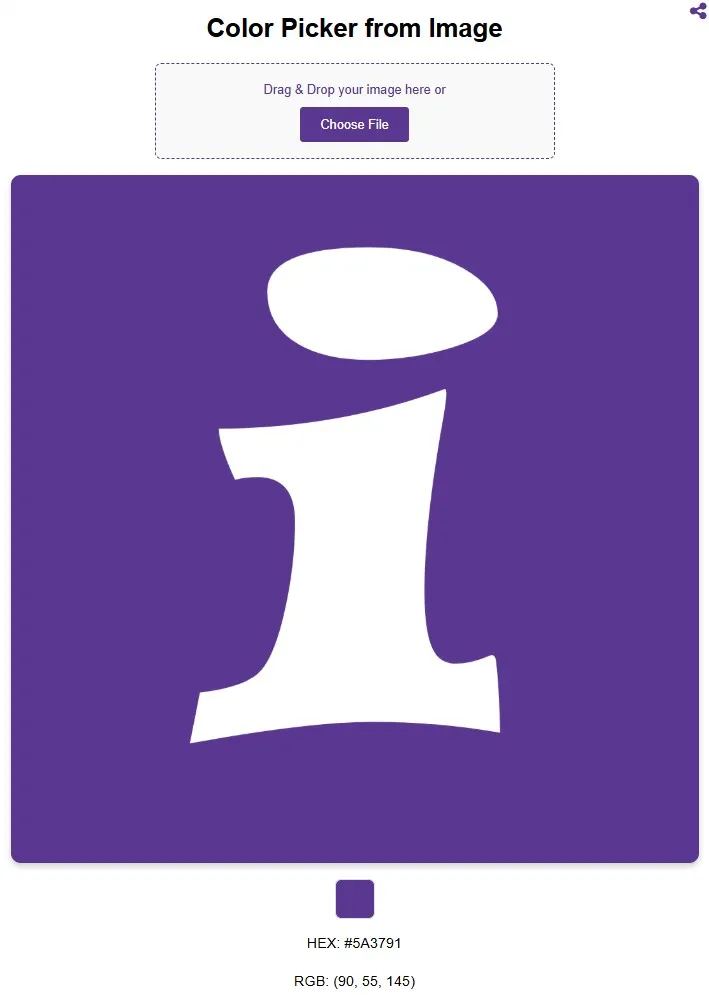
Step 1: Open the Tool. Navigate to the color picker from photo tool in any web browser on your device.
Step 2: Upload Your Image.. Use the "Choose File" option to upload an image from your computer, or simply drag and drop the image file into the designated upload space. The selected image will be previewed instantly on screen.
Step 3: Click on Any Color. Move your cursor to the area of the image whose color you want to identify, then click. The tool will instantly read the pixel data at that point.
Step 4: Copy Your Color Code. HEX code and RGB value of the chosen pixel will be shown. Simply copy the code in the format that is required; for instance, HEX for websites and RGB for graphic software programs.
Step 5: Repeat as Needed. Click on other parts of the picture to get other colors. There is no restriction on the number of colors that you can take out from one picture or multiple pictures.
Understanding HEX vs. RGB Color Codes
The colors extracted using this software will be provided to you in two formats. Knowing how to apply each of these can help you in your tasks efficiently.
The first format is the HEX or Hexadecimal format, which is composed of six characters together with a hashtag at the front, for instance, #FF6B35. This is a widely accepted format especially for HTML and CSS.
RGB stands for Red, Green, Blue and describes color by three numbers within the range of 0 to 255 – the intensity of the basic components of light: `rgb(255, 107, 53)`. This format is used in all design applications, digital display systems and most programming languages. RGB is also the base of the RGBA color code, which includes an additional alpha parameter for transparent colors.
It should be noted that both color formats describe exactly the same color but only in different ways. In other words, the difference lies solely in usage.
Common Use Cases for Color Picking from Images
Color extraction from images is useful across a far wider range of scenarios than most people initially realize. Below are some of the most common practical applications.
Logo and Brand Color Matching: When replicating or extending a brand's visual identity, you can sample the exact colors from an existing logo file to ensure all new materials match perfectly.
UI and Web Design Consistency: Color pickers help developers/designers stick to a particular color palette when they work based on design documentation.
Textile and Product Design: The design process of physical products makes use of color pickers to determine colors from trends and material samples.
Mood Board and Palette Building: Creators can create color themes using colors extracted from a single image.
Accessibility and Contrast Checking: Developers who are verifying color contrasts for Web Content Accessibility Guidelines (WCAG) compliance calculate the exact color codes to test their contrast ratios.
FAQs
What image formats does the color picker support?
It works for all the image formats supported by modern browsers such as JPEG, PNG, WebP, GIF, and BMP. If you can view the image using your web browser, then the tool will be able to handle it.
What color formats does the tool return?
The current system offers color codes using HEX and RGB. HEX codes are suitable for HTML and CSS programming while RGB is popular in design programs and computer displays.
How accurate is the color extraction?
The color picker tool retrieves the pixel information precisely from where you clicked, providing you with the actual color code of that particular pixel. This precision will be as accurate as the image itself provided that the image is not very compressed or distorted.
Can I extract multiple colors from one image?
Yes. You can click on various parts of the same uploaded image to get the color codes for as many number of colors as you want. All you have to do is just click on any other part of the image.
Is the tool suitable for professional design work?
Yes, definitely. This tool provides accurate colors in pixels according to the coding standards used in professional designs. This tool is used by graphic designers, web developers, UI/UX designers, and brand managers who require an accurate extraction of colors.